The lightest editor
for coding with AI.
Built in Rust and drawn straight on the GPU, so it runs at a buttery 60fps. Claude Code and Codex run inside it, on the subscription you already have.
Download for MacDownload for WindowsFree · macOS 13+ (Apple Silicon) · Get the Windows versionFree · Windows 10+ · Get the Mac version

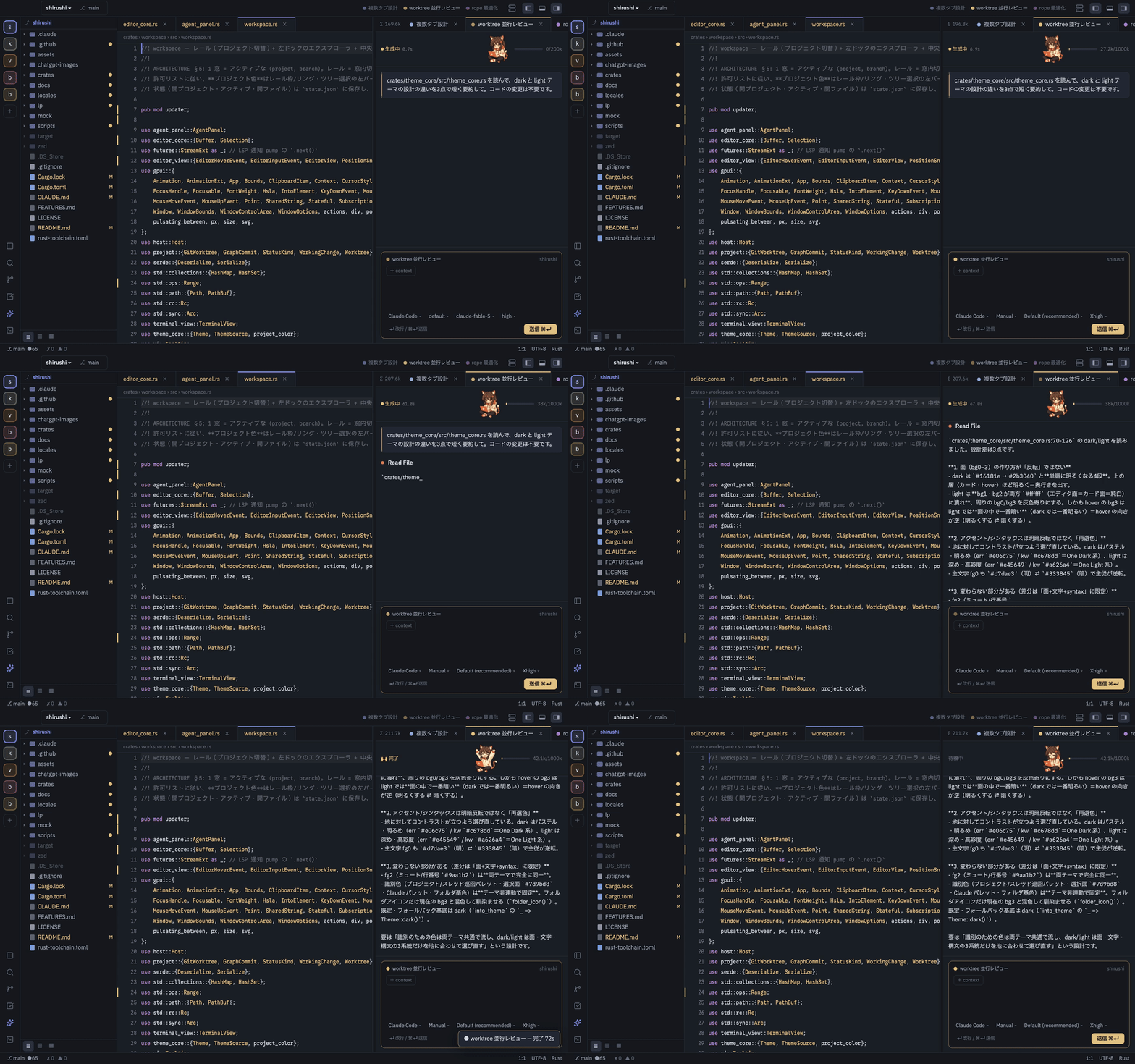
Fast and light.
It changes your whole day.
A native editor written in Rust, with no Electron and no WebView. Opening, typing and scrolling never make you wait.
Buttery smooth
Drawn straight on the GPU, so scrolling and typing never stutter.
No Electron
No browser inside, so it starts fast and stays light on memory.
Found as you type
Even in a project with tens of thousands of files, type part of a name and you're there.
Your AI,
right inside.
No API key. Talk to Claude Code or Codex inside the editor, on the plan you already pay for.
The agents you already use
Connected over the open Agent Client Protocol (ACP). Add any other agent you like.
 Claude CodeCodex
 Copilot
 Qwen
Qwen OpenCode
 Kimi+ Add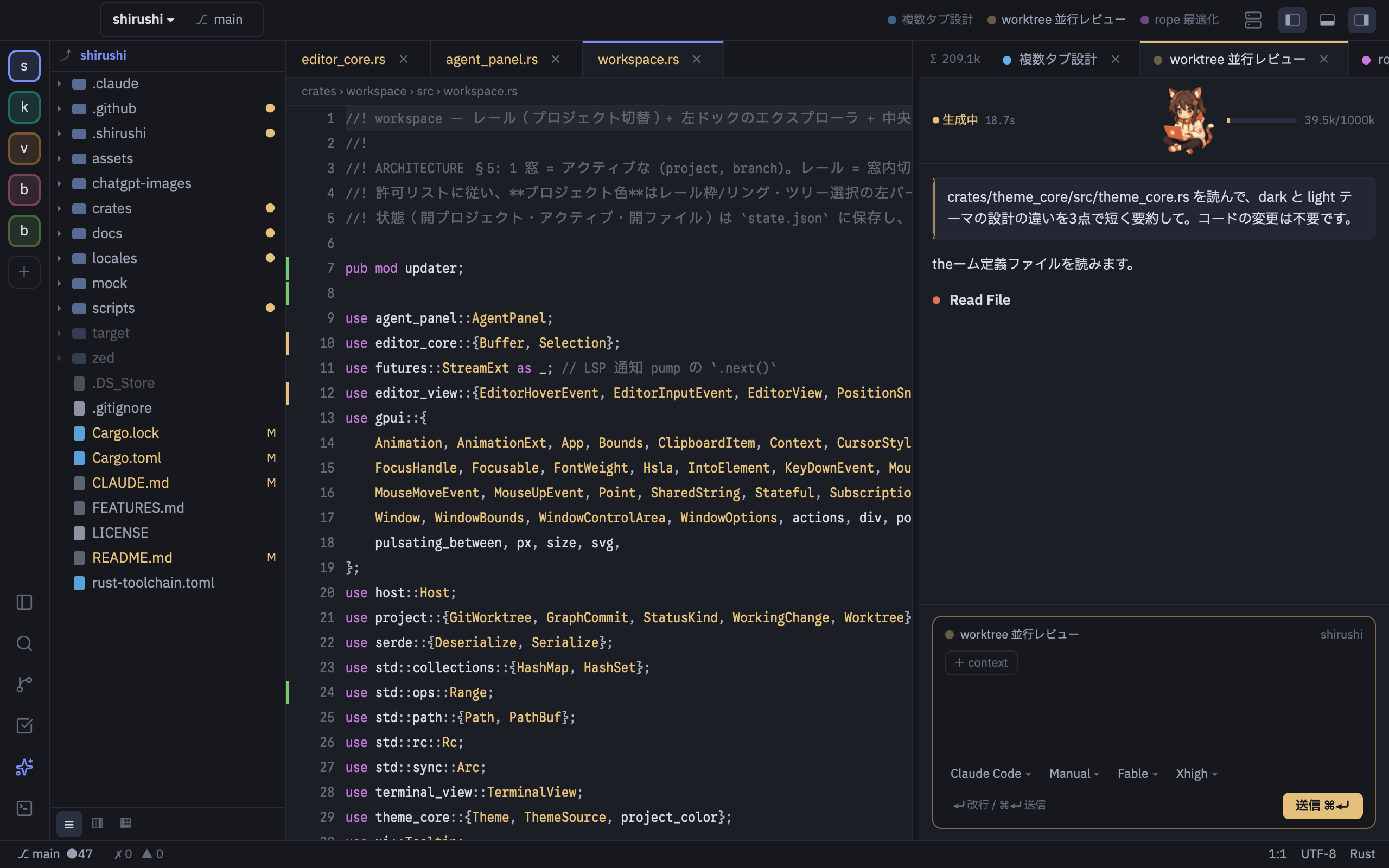
Ready with one button
From install to sign-in, without opening a terminal.
Review every change
Check each diff the AI writes. Don't like it? Rewind any time.
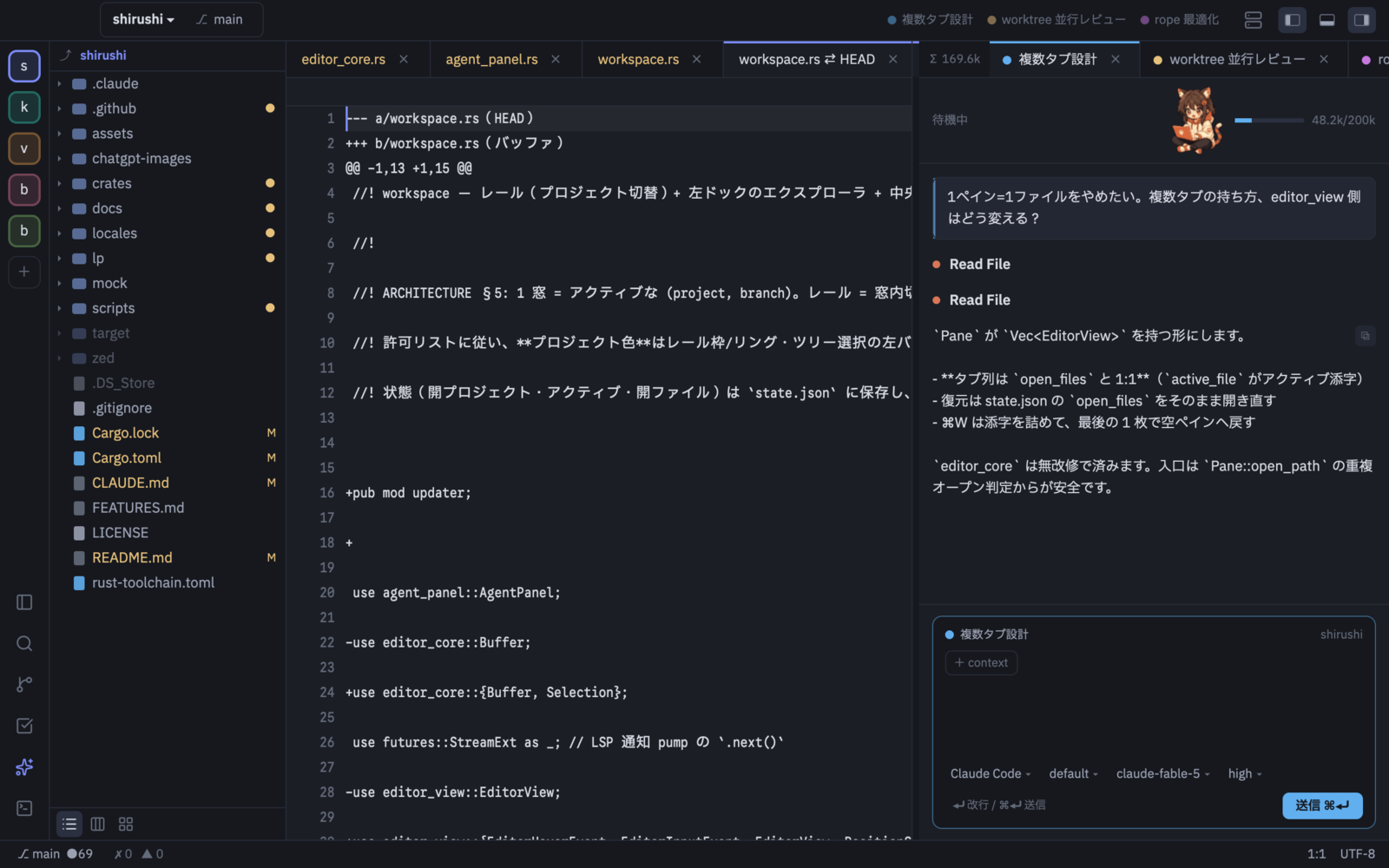
The AI checks off its own todos
The AI keeps the todo board up to date, so you can see how far it has got.
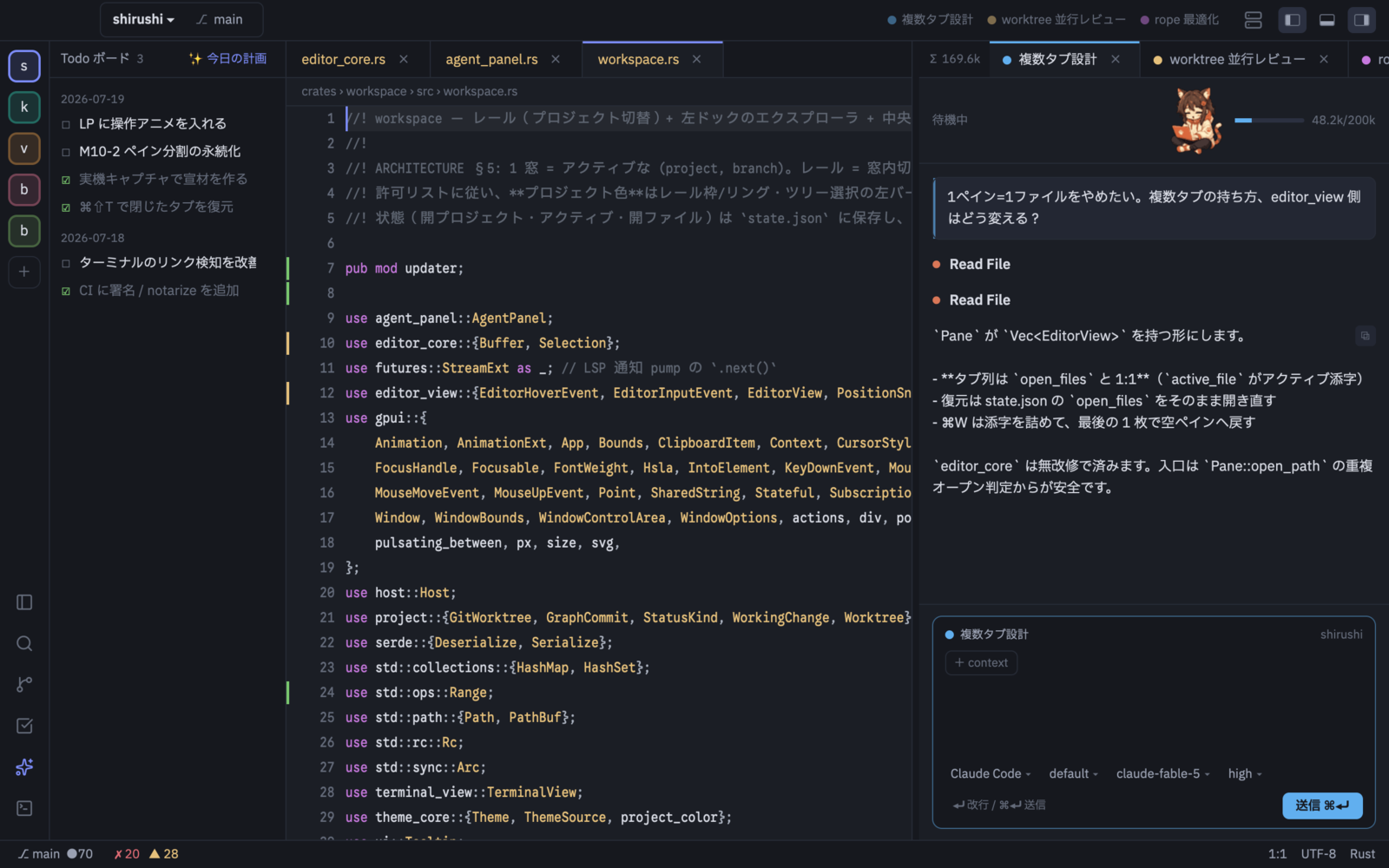
Color keeps you oriented.
Across every project.
Each project has a color that runs through the rail, tabs, caret and AI threads, so you never lose track of what's running where.
Color is the landmark
Which AI is pointed at which project and branch, and how many tokens it has used, is always on screen.

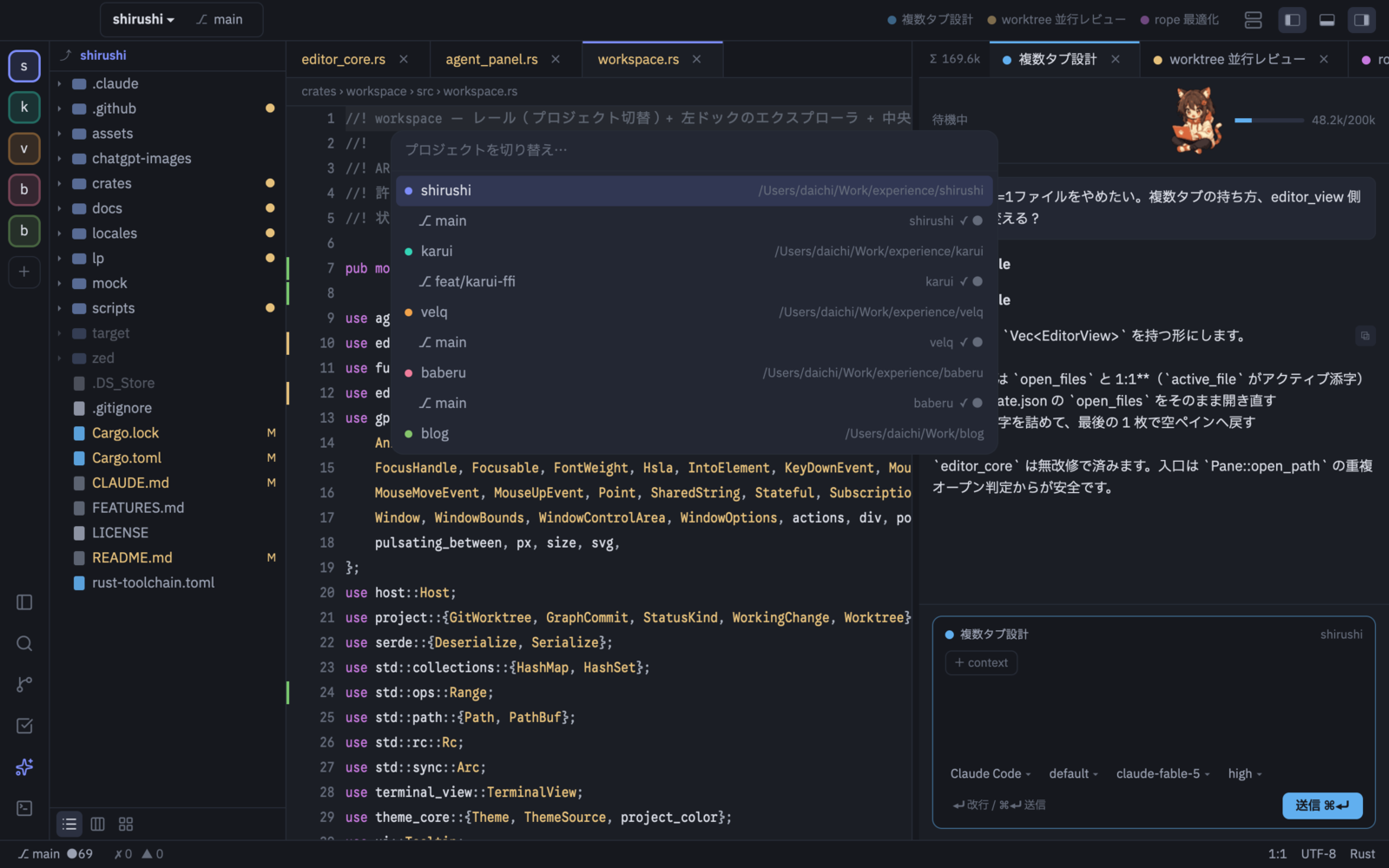
Every project and branch in one window
Keep projects on the rail and switch from the ⌘O list. Hop between worktrees and branches without leaving the window.
The same editor over SSH
Uses your existing SSH config. Server files feel as fast as local ones, and the server needs no Node.
$ ne ssh://you@dev-box/~/app
› Connected to dev-box
› Started necoder on the server (one small binary)
› Opened files, Git, terminal and AI, all there
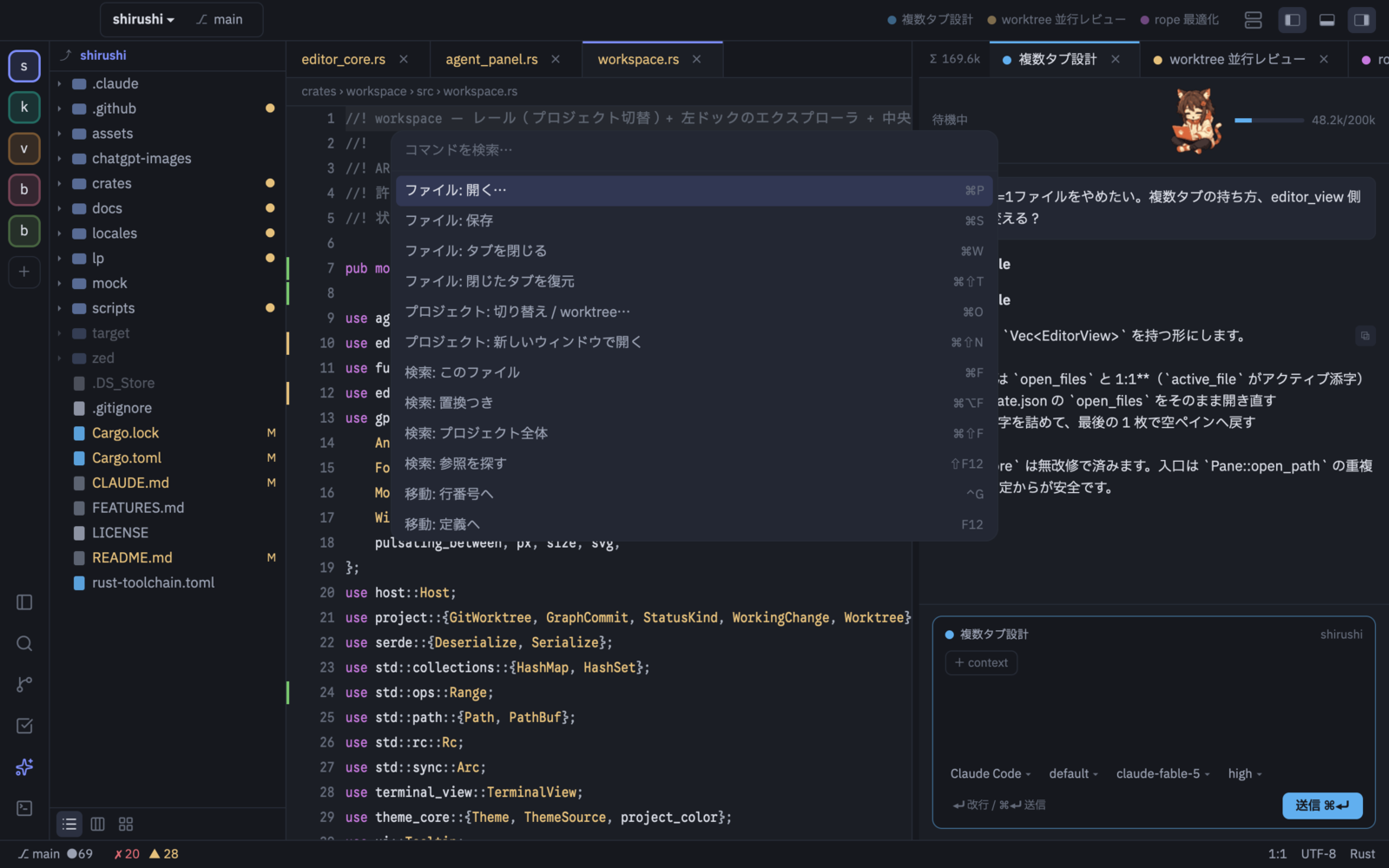
When in doubt, ⌘⇧P
Every command lives in the palette: files, search, switching projects.
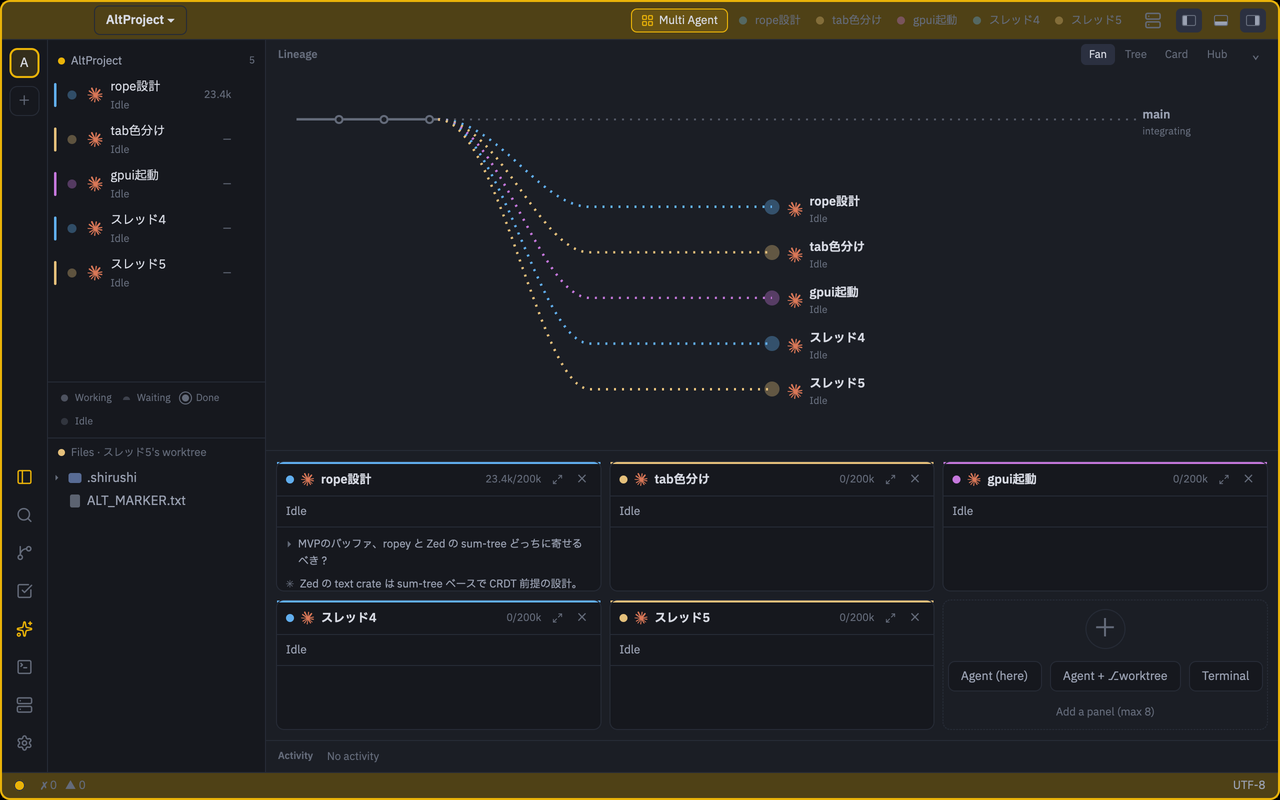
Run your AIs like a team.
Give each Task its own worktree and run agents side by side. Let the Captain hand out the work and pull it back together.
What's running, where, and how far along
Every Task and agent on one screen.

The Captain runs it
Say what you want; it splits the work into Tasks for the AIs. When they're done, review the diffs and merge.
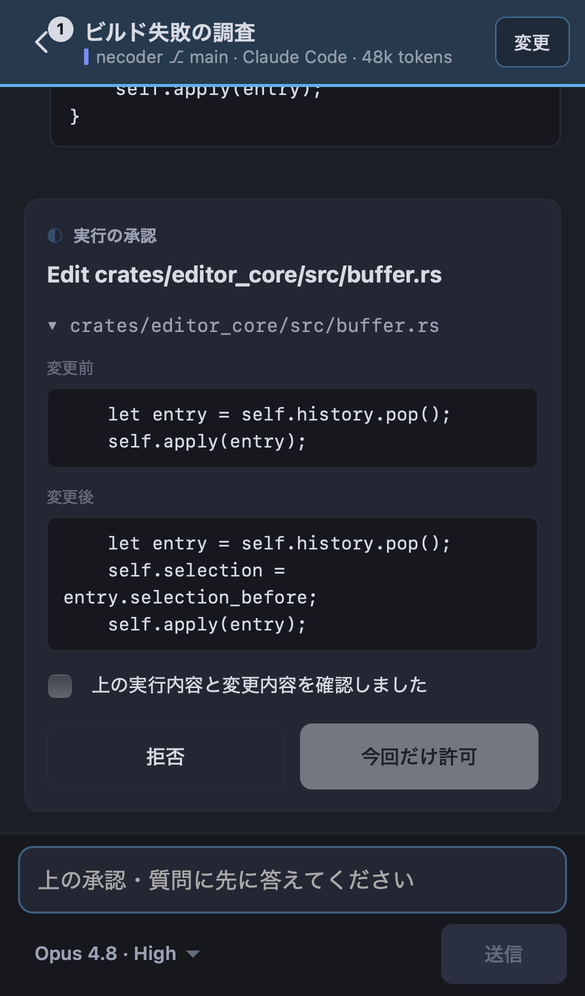
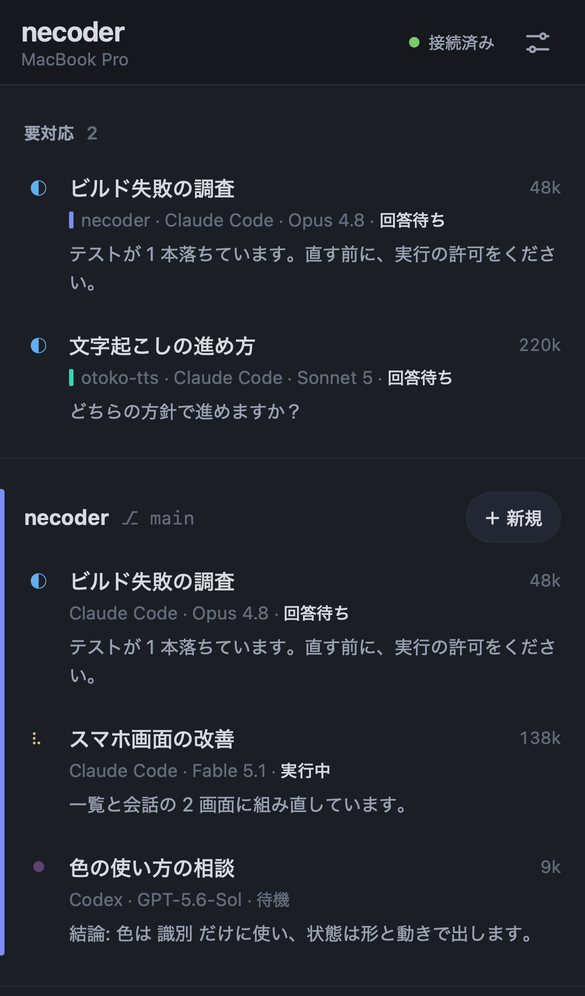
Away from your desk?
Use your phone.
Scan a QR code to check on your AIs and ask for the next step from your phone. Answer approvals and questions on the spot.

Nyaco tells you how the AI is doing.
Thinking, writing or done? One look at Nyaco in the panel tells you, without reading a word.
 ThinkingMulling it over
 WorkingWriting code
 DoneCheers when it's finished
 IdleNaps until you call
A complete editor, too.
Everything you need day to day, with or without AI.
The next editor
moves with its agents.
Download for MacDownload for Windows
Free · macOS 13+ · Get the Windows versionFree · Windows 10+ · Get the Mac version